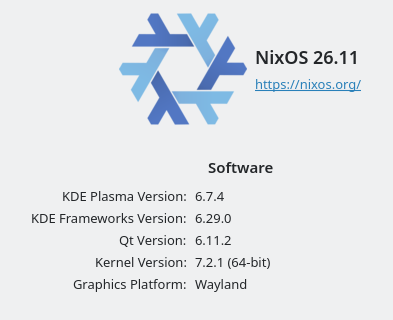
How do you know when someone uses NixOS? similar to Arch, they will tell you the second opportunity arises.
I have been using NixOS in my personal PC for a while now and after more than 200 generations (which we'll talk about more in a bit) i think it is time to move on

So why I use it in the first place? before this I use fedora workstation as my daily and it was great, until I started to tinker with it and it broke on me (yes I know, it's definitely my fault). After hours of troubleshooting and still unable to boot, I decided it is the perfect time to try out a new distro. Of course, after reflecting on my previous failure (and shame), i set my eyes on atomic distros so when i eventually break something again, rollback to previous working version is very easy. That's when I stumble upon NixOS. Declarative configuration and easy rollback, it is truly a tinkerers wet dream. Install is pretty easy just like any other distro. I download ISO to my ventoy usb and 10 minutes later we're good to go
Generations after generations. everytime you install new software (or update existing ones), NixOS will create a new generation. Unlike traditional linux where you can directly use dnf install or apt install or Discover if you love GUI, in NixOS you need to add it to configuration.nix first then use nixos-rebuild switch to include it in a new generation then switch to it (or use boot to not immediately use it). These generated generations is showed up everytime during system boot and you can freely select which one you will boot into, So say goodbye to borked systems. While creating new generation for every package change seems tedious at first, but as your system grow with more and more packages and configs, it is actually easier to manage since you know the system state exactly. In addition to generations, I use git on my config file to track and rollback the config too.
Declarative and reproducible. Some of you may already noticed, the beauty of nixos is, you can literally share and copy any other config from the internet, do a single rebuild and bam! you now have the same software with specific config applied it in your machine. No more manually adjusting multiple .conf files ony by one. This is also heavily used in their wiki. I use the provided example to install and use dnscrypt directly from their wiki page. There are also people sharing their whole config publicly on github, I don't know why you want to do that but hey, nobody is going to stop you from doing it.
Self hosted "support". Based on my experience, NixOS is a dream for those of you who started looking at self hosted i.e. nexcloud, immich, etc. I for one have installed Jellyfin using one liner from nix wiki, rebuild, and of course, got the server up and running and ready to used, indeed a surreal experience. no need to manually download from their website or using docker compose. But it doesn't mean u can't use docker with NixOS, I use nexcloud-aio docker to sync my obsidian notes across desktop, laptop, and phone. Then pair it up with tailscale and voila, you have your own google drive and can connect to it from anywhere in the world, just need to install tailscale on each of your devices. But boy it is worth it. Here is my config for both.
    # Setup tailscale and nextcloud
    services.tailscale = {
        enable = true;
        useRoutingFeatures = "both";
        authKeyFile = "/run/secrets/tailscale_key";
    };
    # Native nftables Support (Modern Setup)
    # 1. Enable the service and the firewall
    networking.nftables.enable = true;
    networking.firewall = {
        enable = true;
        # Always allow traffic from your Tailscale network
        trustedInterfaces = [ config.services.tailscale.interfaceName ];
        # Allow the Tailscale UDP port through the firewall
        allowedUDPPorts = [ config.services.tailscale.port ];
    };
    # 2. Force tailscaled to use nftables (Critical for clean nftables-only systems)
    # This avoids the "iptables-compat" translation layer issues.
    systemd.services.tailscaled.serviceConfig.Environment = [
        "TS_DEBUG_FIREWALL_MODE=nftables"
    ];
    # 3. Optimization: Prevent systemd from waiting for network online
    # (Optional but recommended for faster boot with VPNs)
    systemd.network.wait-online.enable = false;
    boot.initrd.systemd.network.wait-online.enable = false;
    # serve on boot
    systemd.services.tailscale-nextcloud = {
        description = "Serve Nextcloud backend through Tailscale";
        enable = true;
        after = ["network.target" "tailscaled-autoconnect.service"];
        wants = ["network.target" "tailscaled-autoconnect.service"];
        wantedBy = [ "multi-user.target" ];
        serviceConfig = {
        Type = "simple";
        ExecStart = ''${pkgs.tailscale}/bin/tailscale serve http://127.0.0.1:11000'';
        };
    };

    # mount nextcloud to FS
    environment.etc."rclone-mnt.conf".text = ''
        [nextcloud]
        type = webdav
        url = https://****.*****.ts.net/remote.php/dav/files/jyrex
        vendor = nextcloud
        user = *****
        pass = *****
    '';
    fileSystems."/****/nextcloud-jyrex" = {
        device = "nextcloud:";
        fsType = "rclone";
        options = [
        "nodev"
        "nofail"
        "allow_other"
        "args2env"
        "config=/etc/rclone-mnt.conf"
        "vfs_cache_mode=writes"
        "x-systemd.after=tailscale-nextcloud.service"
        "x-systemd.requires=tailscale-nextcloud.service"
        ];
    };
All sunshine and rainbows then right? of course, if you're planning on building a server. Desktop on the other hand, has some notable quirks. While nixpkgs contains almost everything you need, once you want to venture out to the wild, things get a little bit tricky. For one, .appimages the one binary format contains all the necessary dependencies that should work "plug and play" for most distros, doesn't "play" well on NixOS. In fact, you cannot run it by default. You have to manually enables running appimages in config and even then, some appimage still refuse to work or have unexpected behavior. This happens when I want to try running RPCS3. I thought the appimage was broken until i try to run it on kubuntu live usb and it just worked there. Yes i also try the nixpkgs version but it too have similar crashes. I'm pretty sure some of you can make this to work on Nix but I'm not as adept at linux as you guys.
If you can live with some of its quirks, I think there is nothing quite like it honestly. Definitely an unforgetable experience. But for me, as a mainly a desktop user, after a while the novelty wears off and i think my tinkering phase is almost over (fingers crossed), I am ready to go back to a more "traditional" distro with FHS and its "just works" mentality so definitely won't be installing Arch after this. Maybe more of the mainstream like Kubuntu and use docker for occasional server work, but we'll see. Anyway, If in the future I have a dedicated home server 24/7 separate from my desktop, NixOS will be on top of my list and probably the only one on that list.
That is it for now. Have a beautiful day.